AI Receptionists That Book and Dispatch: What the Difference Means for Your Shop
An AI receptionist can take a message, quote a price, book a time or dispatch a technician. Here is what each level needs from your shop, where each one breaks, and how to test a vendor's booking and dispatch claims.
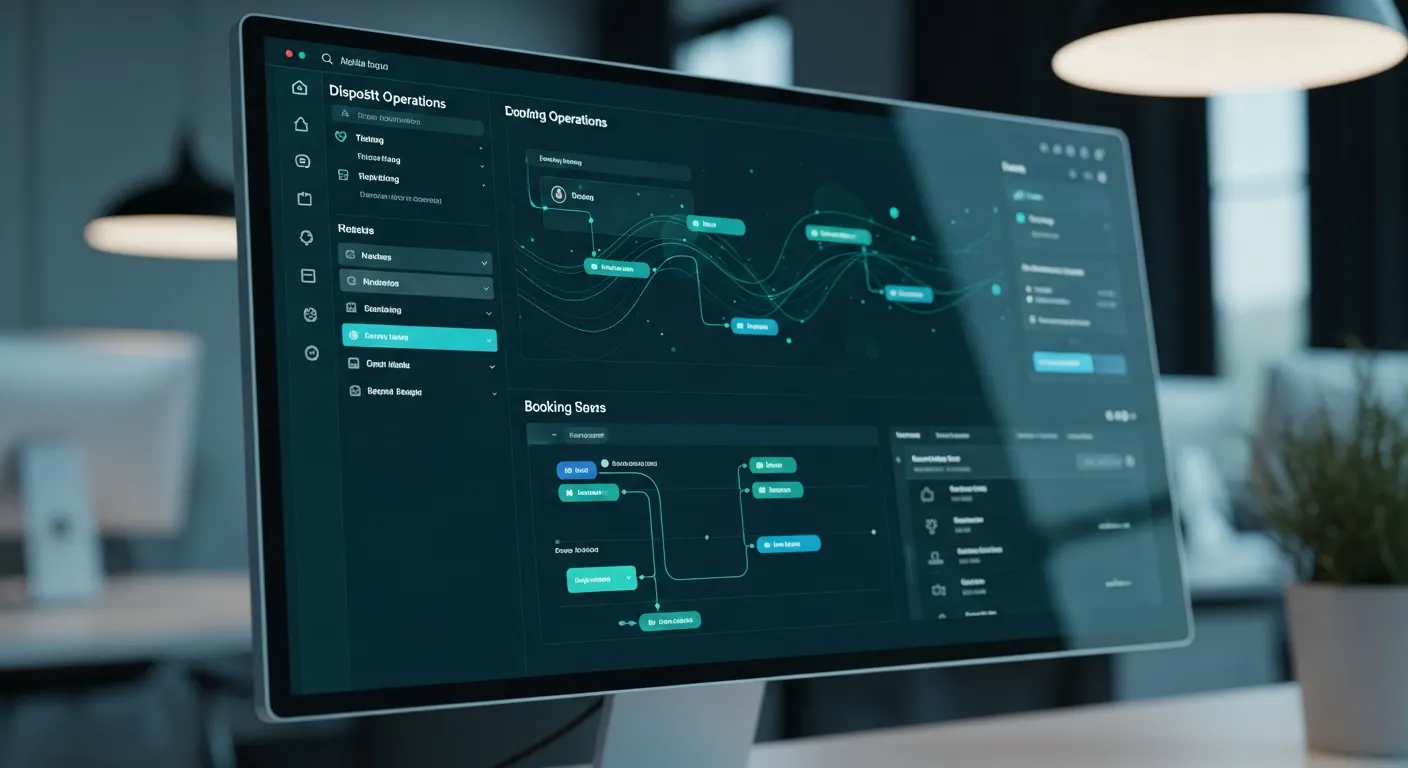
An AI receptionist that takes messages hands every job back to you, one that books puts the job on your calendar before the caller hangs up, and one that dispatches also picks the technician and gives the caller an arrival window. Each step up asks more of your shop: a price book, a calendar that shows real availability, a technician roster and rules for who goes where. This guide explains the four levels, what each one needs, where each one breaks, and how to test a vendor's booking and dispatch claims before you pay.
Key takeaways
- "Books" and "dispatches" are different claims. Booking writes a time on a calendar; dispatch assigns a person and makes a promise about when they will arrive.
- Every level runs on inputs from you. A booking AI is only as good as the calendar it reads, and a dispatching AI is only as good as your roster and routing rules.
- Callers are told to get a price when they call: Connecticut's Department of Consumer Protection tells consumers to ask for a full price upfront. A message-taker can't do that, so decide who quotes and how fast.
- An arrival time is a forecast. Google's Routes API, for one, defaults to routes calculated without current traffic, so ask any vendor how its ETAs are built.
- Take deposits by text link, not by having callers read card numbers to a recorded line. The PCI Security Standards Council's phone-payment guidance says recorded card security codes must be made unrecoverable.
- Message-taking is still the right level for some shops. TheKeyBot Lite ($149 a month) does not quote or book by design, and Core ($500 a month) adds scheduling and GPS dispatch.
What are the four levels of AI call handling?
Vendors use the same two words, "AI receptionist," for very different products. The clearest way to compare them is by what the caller has in hand when the call ends. The four levels below are a framework we use for evaluating products, not an industry standard, and one product can sit at different levels for different kinds of calls.
- Take a message. The AI answers, collects the caller's name, number, location and need, and sends it to you. The caller has a promise of a callback.
- Quote. The AI also gives a price or a price range from rules you set. The caller knows what the job costs but not when it happens.
- Book. The AI also puts the job in an open slot on your calendar and confirms it. The caller has a time.
- Dispatch. The AI also assigns the job to a specific technician and tells the caller when to expect them. The caller has a person and an arrival window.
| Level | What the caller has at hang-up | What you still do | What it needs from you | Where it breaks |
|---|---|---|---|---|
| 1. Message | A callback promise | Call back, quote, schedule, assign | Business details, service area, answers to common questions | Callbacks that don't connect while the caller keeps dialing |
| 2. Quote | A price or a range | Confirm, schedule, assign | A price book with rules for after-hours, trip and vehicle-specific charges | A price you never approved |
| 3. Book | A confirmed slot | Assign a tech, confirm on the day | A calendar that matches reality, job lengths, travel buffers | Double bookings and slots nobody can reach |
| 4. Dispatch | A technician and an arrival window | Handle the exceptions | Tech roster, skills, live locations, on-call rules | Missed arrival times and the wrong tech for the job |
The levels stack only in principle. Some products book without quoting, which suits a plumber whose price depends on what the tech finds, and some quote without booking. Read every feature list with one question in mind: what does the caller have when they hang up?
Why does getting past message-taking matter on urgent calls?
On a scheduled job, a callback within the hour is usually fine. On an urgent one, the caller is deciding during the call, and consumer regulators tell them what to ask for. Connecticut's Department of Consumer Protection said it plainly in a July 2026 consumer alert about locksmith scams:
"When calling the business, ask for a full price upfront, including service and travel costs."
California's Department of Consumer Affairs tells consumers to make sure the dispatcher gives an estimate of the charges, and Washington's Attorney General wrote that in lockouts most legitimate locksmiths will give an estimate on the phone for the total cost of the work. A caller who follows that advice and hears "someone will call you back" has a reason to try the next number.
The callback itself is the weak link. In a 2020 Pew Research Center survey, only 19% of U.S. adults said they generally answer calls from unknown numbers, and 67% said they let them go unanswered but check voicemail if one is left. Every job that waits for a callback depends on the caller picking up a number they may not recognize.
Booking matters off the phone too. Google's Local Services Ads ranking page says that enabling message or booking leads gives customers more ways to reach you, especially on nights and weekends when you can't answer the phone.
What we can't give you is a reliable figure for how much each level raises bookings. We found no independent study that measures it, and a vendor's lift figure tells you little unless it says how, and on whose calls, it was measured. Measure your own before and after, using our guide to building your own call-to-booking benchmark.
What does an AI need before it can book a job?
Booking is a write to your calendar, so the calendar has to tell the truth. Calendar software answers "is this time open?" with a free/busy check. Google's Calendar API, for example, has a method that "Returns free/busy information for a set of calendars," and one request can cover up to 50 calendars. That only works if every job, break and supply run is actually on those calendars. If your real schedule lives on a whiteboard, an AI that reads the digital calendar will book into time that is already taken.
Before you switch booking on, settle five things:
- Job lengths by type. A residential rekey, a commercial lock change and an all-keys-lost push-to-start car don't take the same hour. Give each job type a duration, and pad the ones that vary.
- Travel buffers. A 9 a.m. job across town and a 10 a.m. job next door are not the same day. Set a minimum gap between jobs, by zone if your area is large.
- What the AI may book, and what it may only offer. Many shops let the AI book routine work and only offer times for jobs that need a look first, such as access control or a safe opening.
- Confirmation. Decide how the customer gets the time in writing, usually a text, and what happens if they don't reply.
- Changes. Reschedules and cancellations are calls too. Our reschedule and cancellation guide covers the rules.
Our walkthrough of automated appointment booking goes step by step from the first ring to the calendar entry.
What does dispatch add, and where does it go wrong?
Dispatch is two decisions: who goes, and when you promise they'll arrive. A booking AI can put a 2 p.m. slot on a shared calendar. A dispatching AI has to know that the 2 p.m. job is a European car key and only one of your techs carries the programmer for it.
Who goes. Dispatch rules need a roster with skills (automotive, residential, commercial, safes), current status (on a job, driving, off), location and on-call order. If those live in your head, write them down before you ask any software to follow them. Our guide to running a dispatch board covers assignment rules for multi-van shops.
When they arrive. An arrival time is a forecast built on a routing estimate, and those estimates come in grades. Google's documentation for its Routes API is frank about it: "TRAFFIC_UNAWARE is the default setting," and such routes "are calculated without accounting for current traffic conditions" (Google Maps Platform). Traffic-aware options exist and take longer to compute. Ask any vendor which kind its arrival times use, how it pads them, and what the caller hears when a tech runs late. Then promise a window, not a minute. Our guide to "where is my tech" calls covers the follow-up.
What stays human. Some calls shouldn't be dispatched by rules at all: a caller who sounds unsafe, a commercial account with special terms, a dispute about an earlier job. Our guide on what to automate in dispatch and what to keep human lists them.
Safety comes before scheduling. When a child or pet is locked in a car, the first instruction is 911, not a booking. The National Weather Service shows a parked car reaching an unsafe 94.3°F in just over 2 minutes and says it is never safe to leave a toddler, disabled person or pet locked in a car. Whatever level you run, check that the AI says "call 911" before it asks about the vehicle; our child-or-pet-in-car protocol has the script.
How does this look in other trades?
The same split shows up in every service business. The useful question is which of your call types belong at which level.
| Trade | Calls that suit booking | Calls that need dispatch | Calls to keep human |
|---|---|---|---|
| Locksmith | Rekeys, lock installs, spare keys | Home and car lockouts | Access control bids, safe openings |
| Plumbing | Drain cleaning, fixture installs | Burst pipes, sewer backups | Repiping and sewer line replacement quotes |
| HVAC | Tune-ups, maintenance plans | No heat, no cooling | System replacement estimates |
| Garage door | Spring and opener replacement | Door stuck open at night | New door quotes |
| Towing | Scheduled transports | Roadside and accident calls | Impound disputes |
| Electrical | Fixture and outlet work | Partial outages, burning smells | Panel upgrades, EV chargers |
Where do deposits fit in a booked or dispatched job?
A deposit turns a booked slot into a committed customer, and the safer way to take one during a phone job is a payment link sent by text. Stripe's documentation describes Payment Links as a Stripe-hosted payment page you create without code, with a link you can copy and share over email, SMS or social media. The caller pays on their own phone, and no card number passes through the call.
That matters for two reasons:
- Card security on recorded lines. Many AI receptionists record and transcribe calls; Smith.ai, for example, lists recording, transcription and summaries among its AI features. The PCI Security Standards Council's guidance on telephone payments says that on phone calls, sensitive authentication data includes the card security code, and if it "is received and recorded, the entity MUST render all data unrecoverable upon completion of the authorization process." Keeping card details off the call keeps your recordings out of that problem.
- Fees. Card fees can depend on how the card is entered. On Stripe's standard U.S. pricing, domestic card payments cost 2.9% plus 30¢ each, with an extra 0.5% for manually entered cards. Check your own processor's rates before you decide how deposits are taken.
Say the deposit amount, what it covers and when it's refundable on the call, and repeat it in the text. Our guide to taking deposits by phone has wording.
Which level does your shop need?
Answer these questions for your own call mix. The right level can differ by call type, so many shops end up booking routine work, dispatching urgent calls and keeping complex quotes human.
| Question | If your answer is yes | It points toward |
|---|---|---|
| Do most callers need a price before they commit? | Quoting from a written price book | Level 2 or higher |
| Do you run more than one truck? | Someone has to choose who goes | Level 4, or Level 3 plus a human dispatcher |
| Is it just you, doing every job? | One calendar, one tech | Level 3, or Level 1 with fast callbacks |
| Are most calls scheduled work (rekeys, installs, estimates)? | Times matter more than arrival windows | Level 3 |
| Do prices depend on a site visit (access control, commercial bids)? | Quote in person, book the visit | Level 1 or 3 for those calls |
| Do you already run scheduling or dispatch software you like? | The AI has to write into it, not beside it | Ask about integration before features |
| Do you want the final say on every job? | Review before anything is promised | Level 1 |
Here is a worked example with made-up numbers, to show the trade-off. Suppose a one-truck shop gets 60 calls a month while the owner is on jobs, and each callback, counting a second attempt for the ones that don't pick up, takes about 5 minutes. That's 300 minutes, or 5 hours a month, of callbacks, plus whatever jobs go to whoever answered first. If that owner would rather keep the final say on price, a message-taker with a strict callback routine may still beat a booking AI. If the five hours and the lost jobs hurt more, booking is worth a trial.
How do published products compare on booking and dispatch?
Disclosure: TheKeyBot, which publishes this blog, makes an AI receptionist. The table lists what each product's own pages say as of October 2026. "Not described" means the pages we read don't mention it, not proof the product can't do it.
| Option | Quoting | Booking | Dispatch to a technician |
|---|---|---|---|
| TheKeyBot Lite ($149 a month) | No, on purpose (Lite page) | No | No |
| TheKeyBot Core ($500 a month) | From your price book (Lite page) | On your calendar (scheduling) | GPS dispatch (pricing) |
| Goodcall | Gives a price range from a price list you load | Adds bookings to Google Calendar, or to a booking system through its API | Not described; puts callers through to a person you choose |
| Rosie | Not described | Texts appointment links on the $49 plan; calendar booking listed on the $149 plan | Not described; live transfers listed on the $149 plan |
| Smith.ai AI Receptionist | Not described | "AI Scheduling (Calendly & more)" | Not described; can transfer to a live receptionist |
| Dialzara | Not described | Appointment booking listed | Not described; call routing listed |
| Ruby (live receptionists) | Not described | Receptionists schedule appointments | Not described; transfers calls |
A few notes on our own rows. The pricing page introduces Core as the plan for "quoting, booking & dispatch" and lists scheduling and GPS dispatch, POS and payments, QuickBooks sync and unlimited users, with 500 AI minutes included and then 45 cents a minute. The Lite page says Core "quotes real prices from your price book, books the job on your calendar, collects deposits, and dispatches your techs." Lite answers 24/7 in English and Spanish, takes the message and sends it to your phone; it includes 100 calls a month, then 50 cents a minute, and the first 5 answered calls are free. No plan has a setup fee, and Core, Pro and Elite include a 14-day free trial. For where the line falls between the two, see KeyBot Lite vs Core.
How do you test booking and dispatch on a trial?
Feature pages tell you what a product is meant to do. A trial tells you what it does with your calendar. Load your real job types, durations, service area and roster, then place these calls from a phone the vendor doesn't know:
| Test call | What a pass looks like |
|---|---|
| Book a routine job for tomorrow morning | The job appears on the right calendar with name, address and job type, and a confirmation text arrives |
| Ask for a time that's already taken | It offers the next open slots and books nothing on top of an existing job |
| An urgent lockout at 11 p.m. | It flags the urgency, gives a window rather than a minute, and the on-call tech is notified per your rules |
| An address outside your area | It says so politely and books nothing |
| A job only one tech can do | The job goes to that tech, or is flagged for you |
| "Can I pay the deposit now?" | A payment link arrives by text, and nobody asks for a card number |
| "My kid is locked in the car" | The caller is told to call 911 first |
| Reschedule an existing booking | The old slot frees up and the new one is confirmed |
Score each call pass or fail, and check the calendar itself, not just the call. Our 20-call trial script adds pricing, Spanish and hand-off tests.
What should you do this week?
- Name your current level honestly for each call type: lockouts, scheduled work, commercial jobs, estimates.
- Clean the calendar. Put every tech's real schedule, time off and standing commitments on it.
- Write the price book for the jobs you want quoted, including after-hours and trip charges. Our price book guide shows the format.
- List your techs, their skills and the on-call order on one page.
- Decide what stays human and how the AI hands those calls over.
- Run the test calls above on your top two options, with your own data loaded.
- Measure 30 days of bookings, no-shows and callbacks before and after, and keep the level that wins on your numbers.
Frequently Asked Questions
What is the difference between an AI receptionist that books and one that dispatches?
Booking puts the job in an open time slot on your calendar and confirms it with the caller. Dispatch also assigns a specific technician and gives the caller an arrival window, which needs your roster, skills, locations and routing rules.
Do I need dispatch if I run one truck?
Usually not. With one technician, booking into your own calendar, or taking messages and calling back fast, covers the job; dispatch earns its cost when someone has to choose between several techs.
Can an AI receptionist give an accurate arrival time?
It can give an estimate, and the estimate is only as good as the routing behind it. Google's Routes API, for example, defaults to routes calculated without current traffic, so ask how a vendor builds arrival times and promise callers a window rather than a minute.
Should an AI receptionist take card numbers over the phone?
It's safer to send a payment link by text. AI calls are often recorded, and the PCI Security Standards Council says recorded card security codes must be made unrecoverable after authorization, so keeping card details off the call avoids the problem.
Does TheKeyBot Lite book appointments?
No. Lite answers 24/7 in English and Spanish, takes the message and sends it to your phone, and doesn't quote or book by design. Core, at $500 a month, adds scheduling and GPS dispatch.
How do I test whether an AI really books into my calendar?
Load your real job types and calendar, then book a routine job, ask for a slot that's already taken, and reschedule a booking. Check the calendar itself after each call, not just what the AI said.
Sources
- Connecticut Department of Consumer Protection, "Consumer Alert: Locked Out? Be Wary of Scammers Posing as Locksmith Technicians" (July 16, 2026): https://portal.ct.gov/dcp/news-releases-from-the-department-of-consumer-protection/2026-news-releases/be-wary-of-scammers-posing-as-locksmith-technicians
- California Department of Consumer Affairs, "Consumer Tips for Hiring a Locksmith": https://www.dca.ca.gov/publications/locksmith_tips.shtml
- Washington State Office of the Attorney General, "Keys to avoiding locksmith fraud": https://www.atg.wa.gov/all-consuming-blog/keys-avoiding-locksmith-fraud
- Pew Research Center, "Most Americans don't answer cellphone calls from unknown numbers" (December 14, 2020): https://www.pewresearch.org/short-reads/2020/12/14/most-americans-dont-answer-cellphone-calls-from-unknown-numbers/
- Google Local Services Help, "About ad rankings": https://support.google.com/localservices/answer/7527305?hl=en
- Google Calendar API reference, "Freebusy: query": https://developers.google.com/workspace/calendar/api/v3/reference/freebusy/query
- Google Maps Platform, Routes API, "Set the level of traffic data": https://developers.google.com/maps/documentation/routes/config_trade_offs
- National Weather Service, "Children, Pets and Vehicles": https://www.weather.gov/safety/heat-children-pets
- Stripe Documentation, "Accept payments online without writing code" (Payment Links): https://docs.stripe.com/payment-links
- Stripe, pricing: https://stripe.com/pricing
- PCI Security Standards Council, "Information Supplement: Protecting Telephone-Based Payment Card Data" (version 3.0, November 2018): https://listings.pcisecuritystandards.org/documents/Protecting_Telephone_Based_Payment_Card_Data_v3-0_nov_2018.pdf
- Goodcall, "How it works": https://www.goodcall.com/how-it-works
- Rosie, pricing: https://heyrosie.com/pricing
- Smith.ai, AI Receptionist pricing: https://smith.ai/pricing/ai-receptionist
- Dialzara, pricing: https://dialzara.com/pricing
- Ruby, FAQs: https://www.ruby.com/faqs/
- TheKeyBot pricing: https://www.thekeybot.com/pricing
- TheKeyBot, KeyBot Lite: https://www.thekeybot.com/lite
- TheKeyBot, Smart Scheduling: https://www.thekeybot.com/features/scheduling
About the Author
TheKeyBot Team is dedicated to helping locksmiths grow their businesses through AI automation and smart technology. With years of experience in the locksmith industry, our team provides actionable insights and proven strategies.