Commercial Locksmith Emergency Call Handling — What the Phone Has to Capture (2026)
A commercial emergency call is not a residential lockout with a bigger invoice. The caller is often a manager who cannot authorize the repair, the address is a building rather than a door, and the tech needs the hardware type before the van leaves. Here is the intake that commercial work actually requires, and where a generic script loses the job.
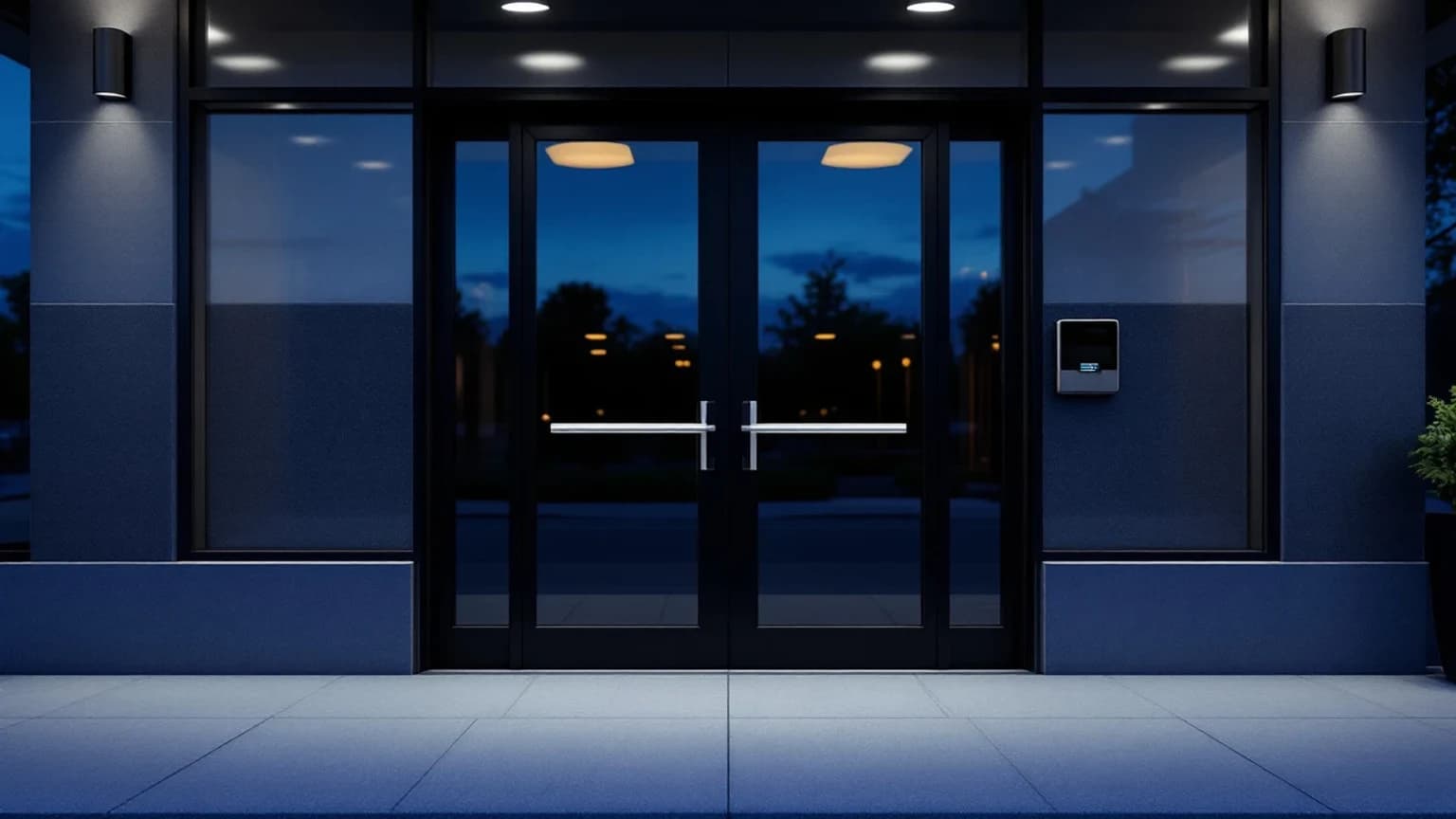
Commercial Locksmith Emergency Call Handling — What the Phone Has to Capture (2026)
Most locksmith shops answer commercial emergency calls with the residential script and a higher number on the invoice. That works right up until the tech arrives at a four-building office park with no suite number, or arrives with a residential deadbolt kit for an aluminum storefront running a panic device, or does ninety minutes of work and then discovers that the person who called was a shift supervisor who cannot approve anything over a hundred dollars.
As of September 2026, the shops that do commercial work profitably are not the ones with better techs. They are the ones whose phone captures a different set of fields than a house lockout requires, and captures them before anyone starts driving. Commercial emergency work carries the best hourly rate in the trade and the worst failure modes, and nearly all of those failure modes are decided in the first three minutes of the call.
This is the operator version of that intake. It is written for owners who already do commercial work and want fewer wasted rolls, not for a facilities manager shopping for a vendor. It is also deliberately not about recurring account relationships — the property-manager and multi-site account side, where you are the named vendor and the billing is already established, is covered separately in handling commercial account calls from property managers. This one is about the cold emergency call at 9 PM from a business you may never have served.
Why a commercial emergency is a different intake, not a bigger one
Three structural differences drive everything else.
The caller is usually not the customer. In residential work the person on the phone owns the door, owns the decision, and owns the credit card. In commercial work the person on the phone is a store manager locking up, a night-shift supervisor who found an exit door that will not latch, a facilities coordinator two states away, or an employee who was simply nearest the phone. They can describe the problem. They frequently cannot approve the money.
The address is not the location. A residential address is a door. A commercial address is a building, a campus, a strip center, or a tower, and the job is at one specific opening inside it — Suite 240, the rear receiving door, Stairwell B on the third floor, the gate at the back of the lot. A tech with a street address and no interior identifier is a tech doing laps in a parking lot at midnight, on your clock.
The hardware is a category, not a lock. Residential is overwhelmingly a small set of familiar cylinders and deadbolts. Commercial spans panic and exit devices, mortise locks, aluminum storefront hardware, electric strikes, magnetic locks tied into fire alarm and access control, keypads and card readers, high-security cylinders, and master key systems where one wrong pin decision damages a hierarchy that took years to build. What the tech must load into the van differs completely across those, and none of it can be guessed from the words the door will not lock.
Everything below follows from those three facts. If your intake handles them, commercial emergency work is the best revenue in the shop. If it does not, you are subsidizing it with second trips.
The address field commercial work actually needs
Ask for the address and stop, and you get a street address. That is the default behavior of every caller and every generic answering service, and it is the single most common cause of a delayed commercial arrival.
The intake needs, as separate captured fields:
- The street address plus the business name on the building. Callers often know the tenant name better than the number.
- The suite, unit, floor, or building letter. In a multi-tenant property this is not optional.
- The specific door. Front entry, rear receiving, side employee entrance, stairwell door, roof access, gate, dock. A surprising share of commercial emergencies are not the front door, and the front door is where a tech instinctively goes.
- How to reach that door after hours. Is the lot gated. Is the main entrance locked so the tech cannot get to the interior door that is actually broken. Is there a security desk, a guard, a lockbox, a badge requirement, an alarm that will trip on entry.
- Who will physically meet the tech, and their live cell number. Not the main business line, which is ringing into an empty building. The person standing there at 9 PM.
- Site hazards and constraints. Active alarm system, dogs, forklift traffic, a kitchen line still running, a tenant that closes at ten and the tech needs to be inside before then.
That last cluster is why commercial arrival time is a customer-experience problem and not just a routing one. A tech who arrives at the right building and cannot get to the right door has still failed the call.
The authorization problem, which is really a money problem
This is the field most shops skip and most shops regret.
A shift employee cannot authorize a nine-hundred-dollar door hardware repair. Often they cannot authorize a two-hundred-dollar service call. They will still say yes on the phone, because they want the door fixed and they are not thinking about purchase orders. Then the invoice reaches accounts payable, accounts payable has never heard of you, and you are in a thirty-day argument about work that was already performed.
The intake has to separate three people who are frequently three different humans:
- The reporter. Who noticed the problem and is on the phone now.
- The approver. Who has authority to commit the business to the spend, by name and by direct number, with the caller asked explicitly whether they themselves have that authority.
- The site contact. Who will be physically present when the tech arrives.
And then the billing method, captured as a fact rather than assumed:
- Existing account or purchase order. If the business says they have an account with you, that gets verified against your own records — not accepted on the phone. If they need a PO, capture whether one can be issued tonight or whether the work proceeds on a signed authorization and gets a PO in the morning.
- Card on file at time of service. For a cold commercial caller with no account, this is usually the honest answer, and the phone is where you say so. Discovering at 10 PM that the caller expected to be invoiced and you expected a card is a dispute that starts before the tech has taken a tool out.
- A written authorization threshold. For anything above a stated dollar figure, the approver signs before work proceeds. Say the threshold on the call.
None of this is adversarial. It is the same conversation a commercial HVAC or electrical contractor has, and commercial customers expect it. The only failure is having it late.
Hardware type — the field that decides what is on the van
We will get someone out there is not a dispatch instruction. It is a promise made without knowing what the tech needs to bring, and in commercial work the gap between what is on a stocked van and what this specific door requires is enormous.
The intake should establish, in plain language a non-technical caller can answer:
- What kind of door. Glass storefront in an aluminum frame, solid wood, hollow metal in a metal frame, glass in a wood frame, overhead or roll-up, gate.
- Is there a horizontal push bar across the inside of the door. That is a panic or exit device, and it is a different repertoire, different parts, and often a life-safety consideration governed by code — the door must open from the inside regardless of what else is wrong with it.
- Is there a rectangular metal box or plate in the frame that buzzes or clicks when someone is let in. That is an electric strike, and now the problem may be electrical rather than mechanical.
- Is there a large flat metal plate at the top of the door frame with a matching plate on the door. That is a magnetic lock, which is tied into power and very often into the fire alarm system, and which fails open or fails secure by design.
- Is there a card reader, keypad, fob, or app. Access control changes the whole shape of the job, including whether a locksmith is the right trade for tonight at all.
- Is it a mortise lock — a lock body inside the door edge with a long faceplate — or a cylindrical lever. Different parts, different labor.
- Do keys from this door work other doors in the building. This is the master key question in language a caller can answer, and the answer changes everything about a rekey or a cylinder replacement, because a careless decision on one opening can break a hierarchy across the site.
- What actually failed. Key broken in the cylinder, key turns but the latch will not retract, door will not latch closed, door locked open and will not secure, panic bar loose or dogged, reader dead, no power, lost keys with a security concern, break-in damage.
The last one deserves its own note. Break-in damage is a distinct intake path, because the customer's real problem is that the building is open, the police may still be involved, an insurance claim is beginning, and photographs matter. That call needs the same fields plus a clear question about whether the opening can be secured tonight and repaired properly later.
For the general logic of separating a genuine emergency from work that can wait until Tuesday, the triage framework in emergency versus scheduled call triage applies directly here — commercial simply raises the cost of getting it wrong in both directions.
The access control call where the right answer is not a same-night repair
Some commercial emergencies should not be sold as a full repair tonight, and saying so on the phone is worth more than the job you would have half-finished.
Access control failures are the clearest case. A card reader that has stopped authenticating, a controller that has lost its programming, a mag lock that dropped when the panel lost power, a system whose administrator credentials left with a former employee — these are frequently not a lock problem at all. They are a power, network, panel, or software problem, and the party who installed the system may hold the credentials required to fix it.
What a commercial customer actually needs at 9 PM in that situation is a temporary secure-the-door plan. The building has to be closed and locked tonight, safely and legally, with egress preserved. That might be a mechanical override on the opening, a temporary cylinder, a properly installed temporary lock with keys issued to the site contact, or in some cases a documented decision to post someone at the door until morning. Then the real repair gets scheduled in daylight with the right party, the right parts, and the right access to the system.
The phone should be capable of describing that as the plan rather than pretending the whole thing gets solved tonight. It sets a realistic expectation, it protects the tech from being blamed for a system they did not install, and it usually still bills — a secure-tonight visit plus a scheduled repair is two jobs, not half of one.
The same honesty applies to the boundary of what a phone system should ever attempt. An intake that starts diagnosing a fire-alarm-integrated mag lock over the phone is doing damage. Where the line sits between capture-and-escalate and answer-and-advise is the whole subject of what an AI receptionist cannot do, and commercial work is where that line matters most.
After-hours premium pricing, stated on the call
Commercial callers are not price-shopping at 9 PM the way a residential caller is. They are trying to close a building. What they will not tolerate is finding out about your after-hours rate on the invoice.
Say it on the call, plainly, in whatever form your price book actually uses — an after-hours service call rate, a minimum, a premium multiplier on labor, a separate weekend or holiday figure, a trip charge that applies whether or not the work proceeds tonight. State it before the tech is dispatched, and capture that it was stated. That single habit removes most commercial billing disputes, and it costs nothing.
It also does something useful in the other direction. A commercial caller who hears the after-hours number and says the door can wait until 8 AM has just converted an expensive night call into a clean scheduled job. That is a good outcome for both sides, and it only happens if the number gets said.
Commercial versus residential versus automotive — what changes in the intake
| Intake dimension | Commercial emergency | Residential | Automotive |
|---|---|---|---|
| Who is calling | Facilities coordinator, store manager, night supervisor, employee on site | Homeowner or tenant, usually the decision maker | Driver, usually alone with the vehicle |
| Who authorizes the spend | Frequently a different person — named approver plus direct number required | The caller, almost always | The caller, almost always |
| What identifies the job | Building plus suite, floor, and the specific door | Street address | Year, make, model, and key or fob type |
| Proof requirements | Business authority, site contact identity, sometimes badge or guard clearance | Proof of residence or ownership at the door | Proof of vehicle ownership at the door |
| What the tech must load | Hardware class — panic device, mortise, storefront, electric strike, mag lock, reader, master system | Common cylinders and deadbolts | Correct key blank or fob plus the programming tool for that platform |
| Billing posture | Account or PO versus card at service, plus a written authorization threshold | Card at service | Card at service |
| Typical after-hours posture | Premium stated up front, secure-tonight plan is an acceptable outcome | Premium stated up front, job usually completes in one visit | Premium stated up front, job usually completes in one visit |
| Cost of a wrong field | Wasted roll, unbillable labor, thirty-day AP dispute | Rescheduled visit | Second trip for the right key stock |
The middle rows are the ones that matter. Every column needs a name, a number, and an address. Only the commercial column routinely needs a second person, an interior identifier, and a hardware class before dispatch — and those are precisely the three fields a generic script never asks for.
How an AI intake handles this, and what it does not do
The reason this is worth automating is not that AI is clever. It is that commercial emergency calls arrive at the exact hours when nobody in a small shop is at a desk, and the fields above are a checklist that a tired human on a cell phone in a van skips half of.
A configured AI receptionist runs the same sequence every time regardless of the hour. It captures the business name and street address, then asks specifically for suite, floor, and which door. It asks who will meet the tech and gets a live cell number. It asks whether the caller can authorize the work and, when the answer is no, captures the approver by name and number instead of proceeding as though the question never came up. It walks the hardware questions in caller-friendly language — is there a push bar across the door, is there a keypad or card reader, does this key work other doors — and records the answers as fields your dispatcher can act on. It states your after-hours rate from your own uploaded price sheet, the figures confirmed on screen during setup, never improvised. It flags a break-in or a building that cannot be secured as urgent rather than filing it with everything else. And it can ask for a photo of the door and the hardware by text, which is worth more than any description a non-technical caller can give.
What it does not do is diagnose. It does not tell a caller whether a mag lock is a fire alarm fault, does not commit to a repair method, does not price a job nobody has looked at, and does not tell anyone a door is safe. It captures and escalates, and the escalation goes to a human on anything genuinely ambiguous.
If your shop takes commercial, residential, and automotive calls on one number, the routing question underneath all of this — how one line serves three different intakes without turning into a phone menu — is worked through in routing commercial, residential, and automotive calls. What arrives afterward, and how the captured fields land somewhere your team can actually work, depends on the rest of your stack — the evaluation criteria for locksmith dispatch software are laid out in the scheduling and dispatch evaluation guide.
One more reason answer rate is worth defending on commercial specifically. If you advertise through Google Local Services, the platform observes whether you answer and callers who reach voicemail generally just call the next name on the list — the mechanics are covered in Local Services Ads and answer rate, and Google publishes its own program documentation at Local Services Ads Help. Commercial callers in particular do not wait, because they have three names in a folder and a building they need closed.
What this costs to cover
The entry product is KeyBot Lite at $149 a month — a 24/7 bilingual AI message-taking receptionist with 100 calls included and 50 cents a minute after, the first 5 answered calls free on a 7-day trial, live in about ten minutes, no contract, your existing number unchanged. Lite takes the structured message. It does not book onto a calendar and it does not dispatch; you read the message and decide what rolls.
If you want live quoting and booking on the call itself, that is the full platform — Core at $500 a month with 500 AI minutes, Pro at $750 with 1,000, Elite at $1,200 with 2,500, each with a 14-day free trial and the full breakdown at the pricing page. The locksmith-specific overview lives on the locksmiths page, and the general case for covering the hours nobody is at a desk is on the after-hours page. Trade association credentialing for general and commercial locksmiths is offered by ALOA.
The fastest way to judge whether the commercial questions land properly is to hear it — the instant demo calls your phone within about a minute answering as your company.
The bottom line
Commercial emergency work pays the best rate in the trade and punishes sloppy intake harder than any other job type, because three things are true at once — the caller is often not the approver, the address is a building rather than a door, and the hardware class determines what has to be on the van before it leaves. A commercial intake that works captures suite, floor, and the specific door plus after-hours access; separates reporter, approver, and site contact with a live cell number for each; establishes account, purchase order, or card at service along with a written authorization threshold; identifies the hardware in language a store manager can answer — push bar, card reader, mortise, mag lock, does this key open other doors; states your after-hours rate out loud before dispatch; treats break-in damage and an unsecurable building as urgent; and is willing to say that an access control failure gets a secure-tonight plan and a daylight repair rather than a promise nobody can keep at 9 PM. None of that requires a better technician. It requires a phone that asks the commercial questions every single time, including at 2 AM on a Sunday.
Frequently asked questions
What makes a commercial locksmith call different from a residential one?
Three things change the intake completely. The person calling is often not the person who can authorize the spend, so you need a named approver and a direct number before the tech drives. The address is a building rather than a door, so you need suite, floor, and which specific opening failed plus how to reach it after hours. And the hardware is a class rather than a lock — panic device, mortise, storefront, electric strike, mag lock, card reader — which determines what has to be loaded on the van. Miss any of the three and you have bought a wasted roll.
Who has to authorize commercial locksmith work, and how do you capture that on the phone?
The approver is whoever can commit the business to the spend, and it is frequently not the employee who called. Ask the caller directly whether they have authority for work at your after-hours rate, and if the answer is no, capture the approver by name and direct cell number rather than proceeding on a verbal yes from a shift supervisor. Also capture the billing method — existing account, purchase order, or card at time of service — and state a dollar threshold above which a written authorization is required before work begins.
How much does after-hours commercial call coverage cost?
KeyBot Lite is $149 per month with 100 calls included and 50 cents per minute after that, with the first 5 answered calls free on a 7-day trial and no contract. It takes structured messages 24/7 in English and Spanish; it does not book or dispatch. The full platform with live quoting and booking is Core at $500 per month with 500 AI minutes, Pro at $750 with 1,000, and Elite at $1,200 with 2,500, each with a 14-day free trial. Full plan details are at https://www.thekeybot.com/pricing.
Should a locksmith attempt a full access control repair at night?
Usually not, and saying so is worth more than the job. Card readers, controllers, and fire-alarm-integrated magnetic locks frequently fail for power, network, panel, or credential reasons that belong to whoever installed the system. The right answer at 9 PM is a temporary secure-the-door plan that closes the building tonight with egress preserved, followed by a properly scheduled repair in daylight with the correct party and parts. That is two billable visits rather than one half-finished one.
What hardware questions can a non-technical caller actually answer?
Ask about what they can see rather than what the part is called. Is there a horizontal push bar across the inside of the door. Is there a keypad, card reader, or fob. Is there a large flat metal plate at the top of the door frame. Does the door sit in an aluminum frame with glass. Does this key open any other doors in the building. Those five questions identify panic hardware, access control, a magnetic lock, storefront hardware, and a master key system without using a single trade term, and a photo texted in beats every one of them.
Can an AI receptionist handle commercial emergency calls without over-promising?
Yes, if it is configured to capture and escalate rather than diagnose. It runs the same commercial checklist at 2 AM as at 2 PM, gets suite and door and site contact, separates the approver from the caller, asks the hardware questions in plain language, requests a photo by text, and states your after-hours rate from a price sheet you confirmed on screen during setup. What it must not do is diagnose a fire-alarm-integrated lock, commit to a repair method, or price work nobody has inspected — those go to a human every time.
About the Author
TheKeyBot Team is dedicated to helping locksmiths grow their businesses through AI automation and smart technology. With years of experience in the locksmith industry, our team provides actionable insights and proven strategies.