Mobile Locksmith Software (2026): How to Run the Van as an Office
A mobile locksmith's office is a phone, a van and the software that connects them. Here is how to handle calls while driving, keep job records on the road, take payment on site, log mileage and protect customer data.
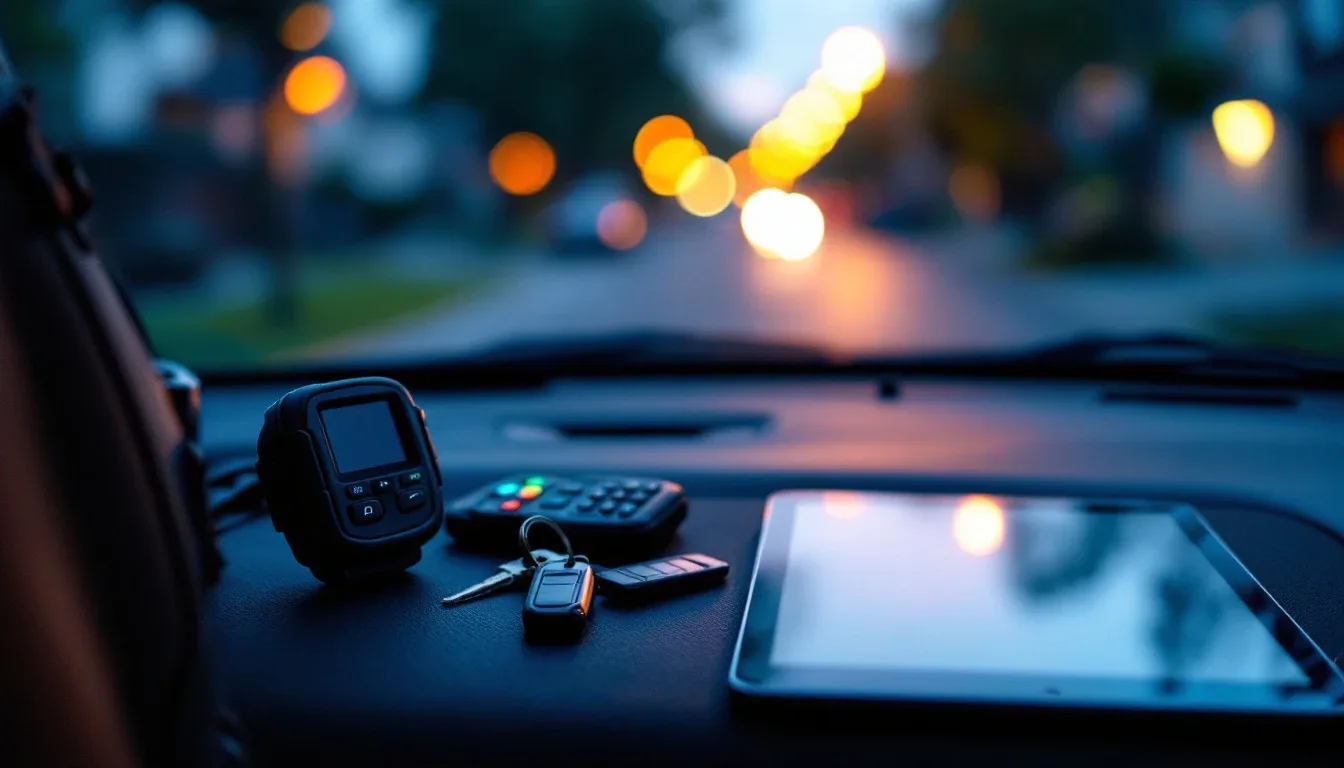
Mobile locksmith software is whatever lets you run the business from the driver's seat: something that answers when you can't, job and customer records on your phone, a way to take payment on site, and records that hold up at tax time. The hard part isn't the apps; it's that the phone rings while you're driving or halfway through a job, and that every customer's details now ride around in your van. This guide covers each piece, with the laws and costs that apply, and ends with a daily routine you can start this week.
Disclosure: TheKeyBot publishes this guide and sells software for mobile locksmiths, including an AI receptionist. Other products are described from their own pages as of October 2026.
Key takeaways
- Don't handle the phone while driving. 33 states, D.C. and four territories ban hand-held phone use for all drivers, and distracted-driving crashes killed 3,275 people in 2023 (NHTSA).
- Let something else answer while you drive or work, and call back only when parked.
- Tap or send a link; don't key in cards. Square lists manually entered cards at 3.5% + 15¢ against 2.4% to 2.6% + 15¢ for tap, dip or swipe (Square).
- Log mileage as you go. The IRS business standard mileage rate is 76 cents a mile for July 1 to December 31, 2026 (IRS), and a weekly log counts as timely.
- Treat the van's phones like a filing cabinet. The FTC's advice is to keep only what you need and lock up the rest.
What does a mobile locksmith need from software?
Start from the jobs the software has to do, not from a feature list.
| The job | What the software does | What to look for |
|---|---|---|
| Answer when you can't | Forwarding to an AI receptionist, an answering service or a teammate | A live answer, a text summary, emergency escalation |
| Know the next job | Schedule and job list on your phone | Address, vehicle, notes and navigation in one place |
| Price it | A price book you can open on site | The same prices your phone answering quotes |
| Remember the customer | Customer and vehicle history | Searchable from the van, by phone number |
| Get paid | Tap to Pay, a card reader or a texted payment link | No keyed-in cards, receipts by text or email |
| Prove the miles | A mileage log | Each business trip, recorded weekly or better |
| Protect the data | Lock screens, user roles, retention rules | Technicians see what they need and no more |
Field-service platforms cover several rows of this table. Jobber's FAQ says its mobile app is available in Spanish to team members other than administrators and account owners (Jobber). TheKeyBot's features page lists a customer database with "vehicle records, service notes, and contact management" and a Tech Mode that gives field technicians "a mobile-first experience." For how the layers connect, see our locksmith software stack guide.
How do you handle calls while you're driving?
Start with the law, because it decides what you can do with the phone in your hand. The Governors Highway Safety Association reports that 33 states, D.C., Puerto Rico, Guam, the Northern Mariana Islands and the U.S. Virgin Islands prohibit all drivers from using hand-held cellphones while driving, and that 49 states ban texting for all drivers. NHTSA's research note on 2023 counts 3,275 people killed in crashes involving distracted drivers, and 397 deaths in crashes where a driver was engaged in cellphone-related activities.
If your van counts as a commercial motor vehicle, federal rules from the Federal Motor Carrier Safety Administration (FMCSA) apply too. The definition covers vehicles used in interstate commerce with a weight rating of "4,536 kg (10,001 pounds) or more" (49 CFR 390.5), and for those vehicles the rule is direct:
"No driver shall use a hand-held mobile telephone while driving a CMV."
That is the FMCSA's rule at 49 CFR 392.82, and a companion rule says "No driver shall engage in texting while driving" (49 CFR 392.80). Check your vehicle's weight rating before assuming these rules don't apply to you. This is not legal advice; check your state's rules too.
The practical fix is to stop being the first person who answers. Set unanswered calls to forward after a few rings, which carriers such as Verizon Business Digital Voice let you configure, or forward everything while you're on the road. Whatever answers should text you the caller's name, location and job so you can call back once you're parked. Our guide to how mobile locksmiths can stop answering calls while driving covers the setup, and our complete guide to AI receptionists covers the options.
What should be on your phone when you pull up to a job?
A job card you can read at a glance saves the call back to the customer. Build yours around these fields:
- Customer name and the number they called from.
- Exact location, with cross streets, gate codes, parking level or unit number.
- The job type, and for cars the year, make and model, key type and whether a working key exists.
- The price you quoted and what it includes, such as trip or after-hours charges.
- Deposit status, if you took one.
- What proof of ownership the customer was told to have ready.
- Notes from the call, and the recording or summary if your answering layer keeps one.
TheKeyBot's scheduling page describes a mobile view for technicians "showing their daily jobs, navigation, and status updates." Whatever you use, check it with one hand on a sunny day before you buy it. Our proof-of-ownership guide covers field 6.
How do you take payment on site?
You don't need much hardware anymore. Square's FAQ says there are "several ways to take payments without any hardware," including invoicing, payment links, Tap to Pay on iPhone and Tap to Pay on Android (Square). What changes is the fee.
| Method | Published U.S. rates (October 2026) | Best for |
|---|---|---|
| Tap, dip or swipe with Square | 2.6% + 15¢, 2.5% + 15¢ or 2.4% + 15¢, depending on plan (Square) | Customer present with a card or phone wallet |
| Square manual entry or card on file | 3.5% + 15¢ (Square) | Avoid when the card is in front of you |
| Stripe in person | 2.7% + 5¢, plus $0.10 per authorization for Tap to Pay (Stripe) | Shops already on Stripe |
| Stripe online or payment link | 2.9% + 30¢ for domestic cards (Stripe) | Deposits before you drive out |
| Cash | Free to accept, per Square's fee table | Customers without cards; give a receipt |
Here is the difference on one job, as a worked example with a made-up ticket: on a $180 lockout, a keyed-in card at 3.5% + 15¢ costs $6.45, and a tapped card at 2.6% + 15¢ costs $4.83. That's $1.62 a job, or about $97 a month across 60 jobs, for the habit of tapping instead of typing.
Keying in cards also means handling card numbers. PCI DSS applies to entities that "store, process, or transmit cardholder data" (PCI Security Standards Council), so never write a card number on a job card or a notes app. For night jobs, a texted deposit link before you drive out gives you a commitment before the miles; our deposit collection guide has the wording.
How do you keep mileage records that hold up?
The van is probably your biggest expense after labor, and the IRS expects records. IRS Publication 463 says to keep proof in "an account book, diary, log, statement of expense, trip sheets, or similar record," that a record prepared on a computer "is considered an adequate record," and that "If you maintain a log on a weekly basis that accounts for use during the week, the log is considered a timely kept record" (IRS Publication 463). For car expenses, it lists recording "the mileage for each business use, and the total miles for the year."
The rate matters if you use the standard mileage method: the IRS lists 72.5 cents a mile for January 1 to June 30, 2026 and 76 cents a mile for July 1 to December 31, 2026 (IRS). As a worked example with made-up miles, a van logging 120 business miles a day for 22 days in a fall month covers 2,640 miles, which at 76 cents is about $2,006 of vehicle cost under that method. This is not tax advice; ask your tax preparer which method suits you.
A dispatch or GPS app's trip history can help you fill in the log, but check that your log also records the business purpose of each trip, such as the job or customer.
How do you protect customer data that rides in a van?
Every phone and tablet in the van holds names, addresses, gate codes, vehicle details and sometimes photos of IDs. The FTC's data security guide boils protection down to five steps, starting with "Take stock" and "Scale down," and it is blunt about the second:
"If you don't have a legitimate business need for sensitive personally identifying information, don't keep it."
That line is from the FTC's guide to protecting personal information, which also tells businesses to "Keep only what you need for your business" and suggests letting laptop users access sensitive information without storing it on their devices. In a van, that translates to:
- Lock every device with a passcode and turn on remote wipe.
- Give technicians their own logins with only the access they need. TheKeyBot's features page lists Owner, Admin and Tech roles with "granular permissions"; check whether your platform has similar roles.
- Decide what to do with ID photos taken for proof of ownership. If you check the ID and don't need a copy, don't keep one; if you keep one, store it in your job system, not the camera roll.
- Plan for a lost phone: who you call, what gets locked and which passwords change.
What about bad signal and GPS in tight spots?
Phones locate themselves well outdoors and worse in exactly the places locksmiths get called to. GPS-enabled smartphones are "typically accurate to within a 4.9 m (16 ft.) radius under open sky," and their accuracy "worsens near buildings, bridges, and trees" (GPS.gov). In a parking garage or between downtown towers, the pin on the map can be off by more than a car's length.
So confirm locations in words: cross streets, the store name, the parking level and the row. When you evaluate apps, ask what still works without signal, such as viewing today's jobs or saving notes to sync later, and test it in a garage before you rely on it.
How should your Google profile look when the van is the business?
If customers don't come to you, Google treats you as a service-area business. Its guidelines say, "If you're a service-area business, you should hide your business address from customers," that "P.O. boxes or mailboxes located at remote locations aren't acceptable," and that a service area "shouldn't extend farther than about 2 hours of driving time from where your business is based" (Google). Run the profile from your real base, and keep the phone number on it one you control. Our guide to Google Business Profile calls and hours covers the rest.
What does a daily van-office routine look like?
| When | Do this | Why |
|---|---|---|
| Before the first job | Check overnight messages and summaries; confirm today's jobs and deposits | Nothing from the night gets lost |
| Before driving | Set forwarding for the drive; mount the phone for navigation only | Your hands stay off the phone |
| Pulling up | Read the job card; confirm price and proof of ownership with the customer | No surprises at the door |
| Finishing the job | Tap or send a payment link; add notes and photos to the job | The record is complete while you remember it |
| Between jobs, parked | Return calls and texts in order of urgency | Callbacks happen safely |
| End of day | Log business miles; clear photos you don't need; review missed calls | Records stay timely and data stays small |
| Weekly | Check payments against jobs; update the price book | Errors don't compound |
What changes when a second van joins?
The day you hire a technician, the office in your head has to move into the software, because the new person can't read your mind at 11 p.m. Five things change:
- The price book gets written down and shared, so both vans and whatever answers the phone quote the same totals. Our price book guide shows a format.
- Jobs need an assignment rule: who takes the next call, by location, skill or who is on call. Our guide to running a dispatch board covers the options.
- Payments land in the business account, never a technician's personal payment app, and every payment matches a job.
- Each technician gets a login and a mileage log, so records and permissions follow the person.
- The answering layer needs an on-call schedule, so emergencies and transfers reach whoever is working tonight, not the owner by default.
If those five feel like a lot, start with the price book and the on-call schedule. They are the two that customers notice first. For the economics of the step from one van to two, see our two-truck shop guide.
Where does TheKeyBot fit in the van?
For the calls you can't take while driving, KeyBot Lite ($149 a month) answers 24/7 in English and Spanish and sends the message to your phone, with no quoting or booking; it includes 100 calls a month, then 50 cents a minute. Core ($500 a month with 500 AI minutes, then 45 cents a minute) adds scheduling and GPS dispatch, POS and payments, QuickBooks sync and unlimited users, so the job card, payment and books live in one system. No plan has a setup fee, and Core, Pro and Elite include a 14-day free trial (pricing).
For fleets, TheKeyBot also sells Fleet Hub, an in-van camera and GPS unit listed at $299 a month per vehicle on a 36-month term plus a $499 installation, or a $1,995 hardware kit plus installation from $499 and a $149 monthly platform fee per vehicle (Fleet Hub). If you add cameras, tell your technicians in writing what is recorded and when. For dispatch across several vans, see our GPS dispatch guide.
Frequently Asked Questions
What software does a mobile locksmith need?
At minimum, something that answers calls you can't take, a schedule and job list on your phone, a price book, a way to take card payments on site, and a mileage log. A single field-service app can cover the middle three, with answering added separately.
Can I take calls while driving if I use hands-free?
That depends on your state: 33 states, D.C. and four territories ban hand-held use for all drivers, and hands-free rules vary. The safer setup is to let calls forward to an answering layer while you drive and call back when parked; this is not legal advice.
What is the cheapest way to take card payments on site?
At Square, tap, dip or swipe costs less than keying in a card: it lists 2.4% to 2.6% plus 15 cents in person against 3.5% plus 15 cents for manual entry. Compare your processor's published rates at your own volume.
How should a mobile locksmith track mileage?
Keep a log of each business trip with the miles and purpose, updated at least weekly, which IRS Publication 463 treats as a timely kept record. A dispatch app's trip history can help, but ask your tax preparer about the method that suits you.
Should I keep photos of customers' IDs?
Only if you have a real business need. The FTC advises businesses not to keep sensitive personal information they don't need, so check the ID and skip the copy, or store it in your job system rather than the camera roll.
Does a mobile locksmith need an address on Google Business Profile?
No. Google's guidelines say service-area businesses should hide their address from customers, and P.O. boxes or remote mailboxes aren't acceptable, so set a service area around your real base instead.
Sources
- Governors Highway Safety Association, distracted driving laws by state (updated October 2025): https://www.ghsa.org/state-laws/issues/distracted%20driving
- NHTSA, "Distracted Driving in 2023," DOT HS 813 703 (April 2025): https://crashstats.nhtsa.dot.gov/Api/Public/ViewPublication/813703
- 49 CFR § 390.5, definitions (Cornell LII): https://www.law.cornell.edu/cfr/text/49/390.5
- 49 CFR § 392.82, hand-held mobile telephone use (Cornell LII): https://www.law.cornell.edu/cfr/text/49/392.82
- 49 CFR § 392.80, texting (Cornell LII): https://www.law.cornell.edu/cfr/text/49/392.80
- Verizon Business Digital Voice, call forwarding: https://businessdigitalvoice.verizon.com/?p=9196
- Jobber pricing and FAQ: https://www.getjobber.com/pricing/
- Square, processing fees and FAQ: https://squareup.com/us/en/payments/our-fees
- Stripe pricing: https://stripe.com/pricing
- PCI Security Standards Council, PCI DSS: https://www.pcisecuritystandards.org/standards/pci-dss/
- IRS, standard mileage rates: https://www.irs.gov/tax-professionals/standard-mileage-rates
- IRS Publication 463, Travel, Gift, and Car Expenses: https://www.irs.gov/publications/p463
- FTC, "Protecting Personal Information: A Guide for Business": https://www.ftc.gov/business-guidance/resources/protecting-personal-information-guide-business
- GPS.gov (archive), "GPS Accuracy" (not updated since February 2025): https://archive.gps.gov/systems/gps/performance/accuracy/
- Google Business Profile Help, "Guidelines for representing your business on Google": https://support.google.com/business/answer/3038177?hl=en
- TheKeyBot pricing: https://www.thekeybot.com/pricing
About the Author
TheKeyBot Team is dedicated to helping locksmiths grow their businesses through AI automation and smart technology. With years of experience in the locksmith industry, our team provides actionable insights and proven strategies.